Scheduling Custom Reports
Automate your monthly reporting by scheduling draft or final reports in Digits. Save time, stay consistent, and ensure clients receive their reports on schedule—without manual prep.
How to Schedule Reports
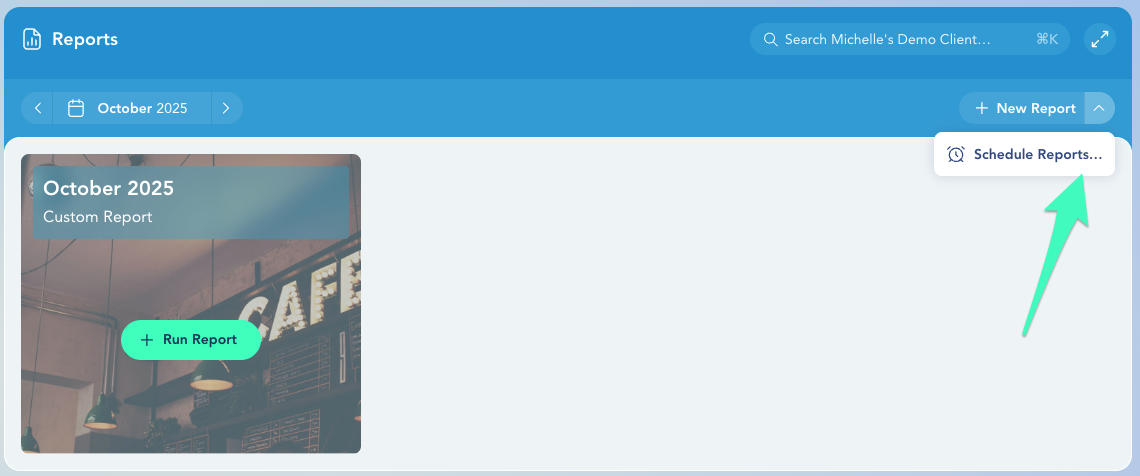
Go to Reports from the left navigation.
Click the dropdown next to New Report (top right).
Click Schedule Reports.

Choose whether you want to schedule for:
A specific client, or
Globally across all clients (Global schedules apply to every legal entity unless overridden.)

Scheduling Options
Auto-Create Draft
Automatically creates a draft report at the start of each month for you to review and edit.
Draft is created on the 1st of each month.
Auto-Publish Draft
Sends a draft report to your client for review.
Delivered at 9 AM CST on the selected date.
Auto-Publish Final
Sends the finalized client-facing report automatically.
Delivered at 9 AM CST on the selected date.
Frequently Asked Questions
Need help? Contact us at [email protected]
