> For the complete documentation index, see [llms.txt](https://help.digits.com/llms.txt). Markdown versions of documentation pages are available by appending `.md` to page URLs; this page is available as [Markdown](https://help.digits.com/firms-bills-and-invoices/invoice-branding.md).
# Customizing Invoice Branding
Make your client’s invoices look like their brand. Customize logo, business details, and messaging, then preview exactly what customers will see before your client sends.
***
### How to Customize Your Invoice
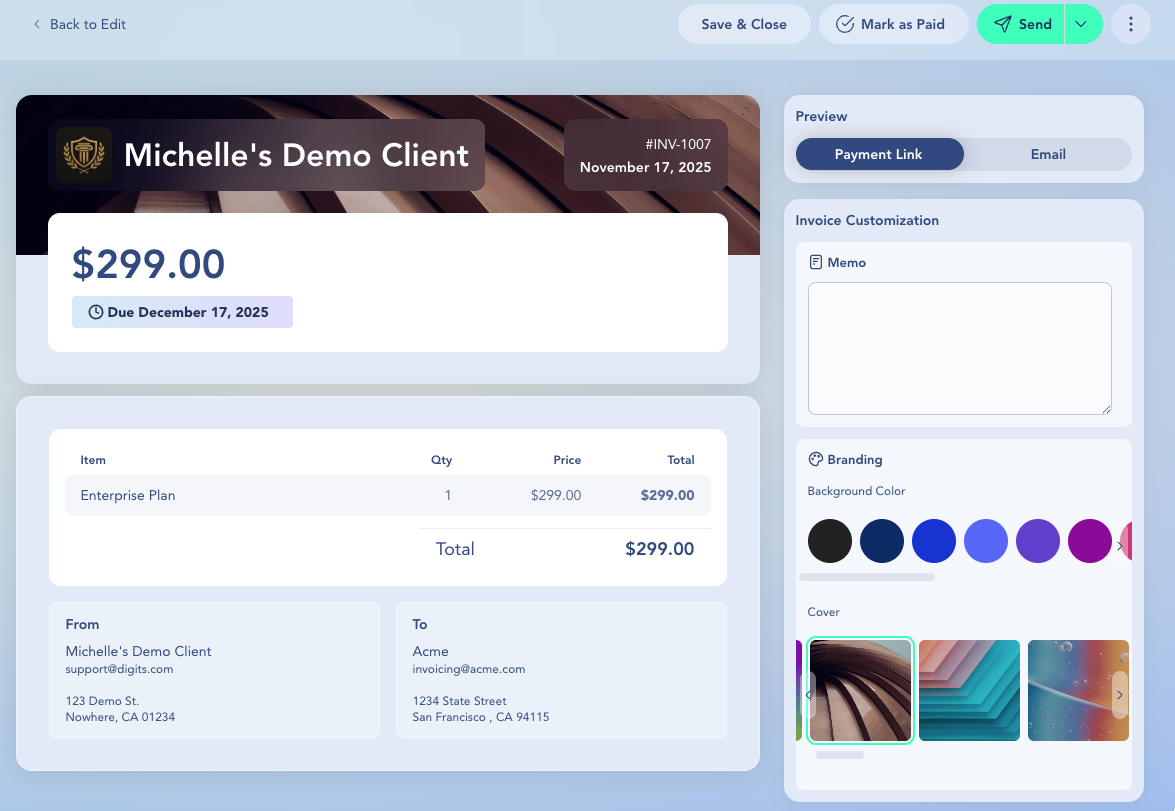
After creating an invoice and clicking **Review**, you’ll land on the invoice preview screen. From here, you can tailor the branding and message to match your client’s style, ensuring every invoice looks polished and professional.
Update the invoice's visual style to reflect your client’s brand:
* **Memo** — Add a personalized note or instructions for the customer. This will appear in both the invoice email and the payment link preview.
* **Background Color** — Choose from preset color swatches.
* **Cover Image** — Select a visual header from available options.
* **Logo & Company Details** — To update the logo, company name, email, or address, go to **Settings → Invoices**.
* Once everything looks right, click **Create without Sending** to save the draft for your client to send.
***
### How to Preview the Customer View
On the **Review** screen of an invoice:
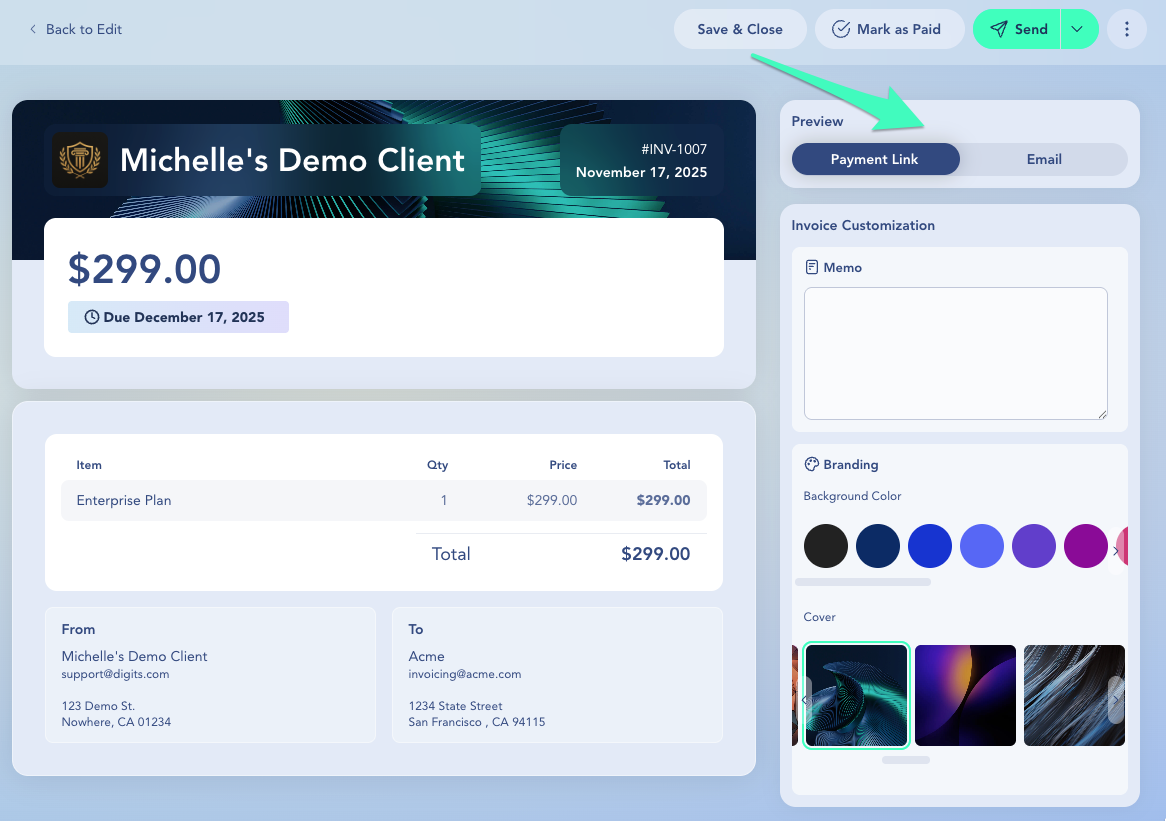
1. After updating the **Branding** and **Memo**, click **Preview**.
2. Review how the invoice will appear to the customer in the **payment link** or **email.**
If something looks off, go back and adjust the **Branding** or update company details from **Settings → Invoices**.
***
### Frequently Asked Questions
Does changing branding update past invoices?
Branding changes apply to future invoices. Previously sent invoices typically keep the branding they had at the time they were created and sent.
Can my client change their branding?
Yes. Clients can adjust their own company details and branding where they have access. Your drafts will reflect those changes the next time you create an invoice.
How do I change the logo or address on an invoice?
To change the **logo**, **company name**, **email**, or **address** shown on invoices:
1. Go to **Settings → Invoices**.
2. Upload or update your company logo.
3. Edit your company's name, contact email, and billing address.
4. Changes will automatically reflect on all future invoices.
Can I change the Invoice number?
Digits automatically generates invoice numbers, but you can edit invoices individually or set your own custom numbering format in **Settings → Invoices**.
***
{% columns %}
{% column width="66.66666666666666%" valign="middle" %}
Got a question or feedback? Our team is all ears—come say hello!
{% endcolumn %}
{% column width="33.33333333333334%" valign="middle" %}
Contact Digits Support
{% endcolumn %}
{% endcolumns %}
***
---
# Agent Instructions
This documentation is published with GitBook. GitBook is the documentation platform designed so that both humans and AI agents can read, navigate, and reason over technical content effectively. Learn more at gitbook.com.
## Querying This Documentation
If you need additional information that is not directly available in this page, you can query the documentation by asking a question.
Perform an HTTP GET request on the following URL with the `ask` and `goal` query parameters:
```
GET https://help.digits.com/firms-bills-and-invoices/invoice-branding.md?ask=&goal=
```
`ask` is the immediate question: it should be specific, self-contained, and written in natural language.
`goal` is what the user is ultimately trying to achieve, the reason they need the answer. Sharing it helps GitBook give you a better, more relevant answer. A goal is most helpful when it describes the outcome the user wants rather than restating the question. For example, with `ask=how do I create an API token`, a goal like `automate deployments from our CI pipeline` lets GitBook tailor the answer to that use case.
The response will contain a direct answer to the question and relevant excerpts and sources from the documentation.
Use this mechanism when the answer is not explicitly present in the current page, you need clarification or additional context, or you want to retrieve related documentation sections.