> For the complete documentation index, see [llms.txt](https://help.digits.com/llms.txt). Markdown versions of documentation pages are available by appending `.md` to page URLs; this page is available as [Markdown](https://help.digits.com/firms-bills-and-invoices/edit-customer-info.md).
# Editing Customer Information on Invoices
Update customer contact and billing details directly from invoices for accurate, up-to-date records.
***
{% hint style="info" %}
**A Note on Closed Accounting Periods**
If a sent invoice is dated within a closed accounting period, it can't be edited — the Edit option won't appear — so you won't be able to change its customer until the period is reopened. (You also need permission to edit invoices.)
{% endhint %}
#### **On a Draft Invoice**
1. Go to **Bills & Invoicing** → **Invoices** → **New Invoice**, or open any Draft invoice.
2. Select a customer from the dropdown, or type a name or email to create a new one.
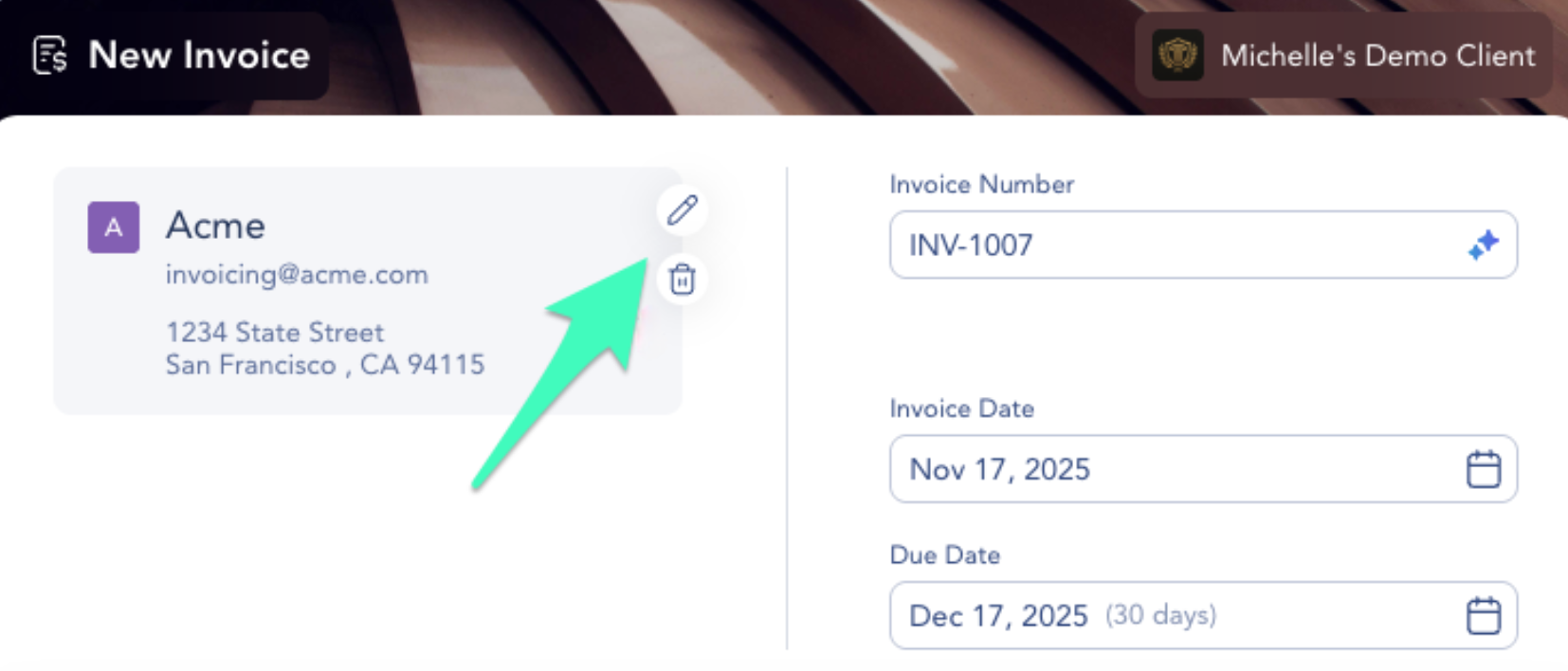
3. To edit the existing customer, click the **Edit** (pencil) icon on the customer card. (To remove the customer entirely, click the trash icon.)
4. Update the customer's details:
* Company Name
* Email Address
* Billing Address — Country, Address Line 1, Address Line 2 (optional), City, State/Region, and Zip/Postal Code.
5. Click **Save**. These details are used for this invoice and reflected on all active and future invoices for that customer.
#### **On a Sent or Overdue Invoice**
You can still correct a customer's details after an invoice has been sent (an overdue invoice is just a sent invoice past its due date — the same rules apply).
1. Open the sent invoice and click **Edit**.
2. Click the **Edit** (pencil) icon on the customer card.
3. Update the Company Name, Email Address, or Billing Address, then save. Your changes are reflected on all active and new invoices for that customer.
What you can't do after sending:
* Switch to a different customer. The invoice is already tied to its customer — to bill someone else, void the invoice and start over. (Digits will prompt: "*This invoice is already tied to a customer. Want a different one? Void this invoice to start over.*")
* Remove the customer from the invoice.
#### **Paid Invoices**
Once an invoice is paid, the customer is locked — you can't edit, switch, add, or remove the customer.
#### **International Addresses**
Billing addresses support international customers — just choose the Country in the address fields. A small number of sanctioned countries aren't available.
***
### Frequently Asked Questions
Can I edit a customer's information after I send an invoice?
Yes. You can update a sent (or overdue) invoice's customer details — company name, email, and billing address — by opening the invoice, clicking Edit, then the pencil icon on the customer card. The one thing you can't do is switch to a different customer.
If I update a customer's details, does it change my other invoices?
Yes. Editing a customer's details updates them on all of that customer's active and future invoices, not just the one you're working in.
***
{% columns %}
{% column width="66.66666666666666%" valign="middle" %}
Got a question or feedback? Our team is all ears—come say hello!
{% endcolumn %}
{% column width="33.33333333333334%" valign="middle" %}
Contact Digits Support
{% endcolumn %}
{% endcolumns %}
***
---
# Agent Instructions
This documentation is published with GitBook. GitBook is the documentation platform designed so that both humans and AI agents can read, navigate, and reason over technical content effectively. Learn more at gitbook.com.
## Querying This Documentation
If you need additional information that is not directly available in this page, you can query the documentation dynamically by asking a question.
Perform an HTTP GET request on the current page URL with the `ask` query parameter, and the optional `goal` query parameter:
```
GET https://help.digits.com/firms-bills-and-invoices/edit-customer-info.md?ask=&goal=
```
`ask` is the immediate question: it should be specific, self-contained, and written in natural language.
`goal` is optional and describes the broader end goal you are ultimately trying to accomplish on behalf of the user. GitBook uses it to tailor the answer towards what is most useful for that goal.
The response will contain a direct answer to the question and relevant excerpts and sources from the documentation.
Use this mechanism when the answer is not explicitly present in the current page, you need clarification or additional context, or you want to retrieve related documentation sections.